Welcome to the High School Musicarol Family Radio Show Resource Page
Thank you for supporting this Fickle Father project! (If you are looking for the Family Radio Show Experience Kit, you can find it on Etsy.)
Below are your resources for helping you through the script.
The High School Musicarol Playlist
Play these songs when cued in the script. Remember, the point is to have fun making the show together. You do not have to listen to the whole song or even use them. It’s totally up to you.
Note: The playlist on this page will only preview songs. To access the full songs, visit the playlist on Spotify.
Sound Effects
There are sound effects cued in the script. Here are some resources for finding these sounds.
BBC Sound Effects Archive (Free)
https://sound-effects.bbcrewind.co.uk
A massive archive of free-to-use sound effects (non-commercial license).
FreeSound.org (Free, requires free account)
https://freesound.org
Crowdsourced effects with thousands of Christmas bells, whooshes, crashes, and ambient sounds.
Curated Effects
Don’t let me stop you from finding or using sounds that you prefer, but I’ve curated some sounds that I think work great (in the order they appear in the script):
School Bell:
Door opens and closes:
Footsteps (upstairs)
Letters rip open. Papers rustle.
Pop
Zip
Scratching stops music
Jingle Bells
Poof
Alarm Sound
crunching
sobbing
blows nose
Door creaks
Opening present
Running downstairs
All the sounds used above come from freesound.org.
Recording Tips
There’s nothing wrong with using your voice recording app on your phone or tablet.
But if you want a more robust recording session, here are some free programs I use and recommend for recording.
SteelSeries Sonar – A free, beginner-friendly app that gives you studio-quality voice control. It includes live noise reduction, voice-enhancing presets, and easy audio routing so you can play music, sound effects, and your microphone all at once. Great for families wanting simple, polished audio without complicated setup.
OBS Studio – A powerful, free program used by podcasters and streamers. It lets you record multiple microphones, music, and sound effects at the same time, all on separate audio tracks. It’s perfect if you want more control—like mixing voices, adding music, or recording the entire family in one place.
Audacity – A classic, free audio editor that’s extremely easy to use. Ideal for recording and editing your finished show, trimming mistakes, adding sound effects, and exporting your final MP3. If you’ve never used audio software before, this is the simplest place to start.
Want to Make your Radio Show Experience Permanent?
Did your family have a blast? Don’t let that amazing recording get lost on your phone. Let us turn your raw, fun performance into a timeless keepsake!
Our editing process will:
If You REALLY want some nostalgia
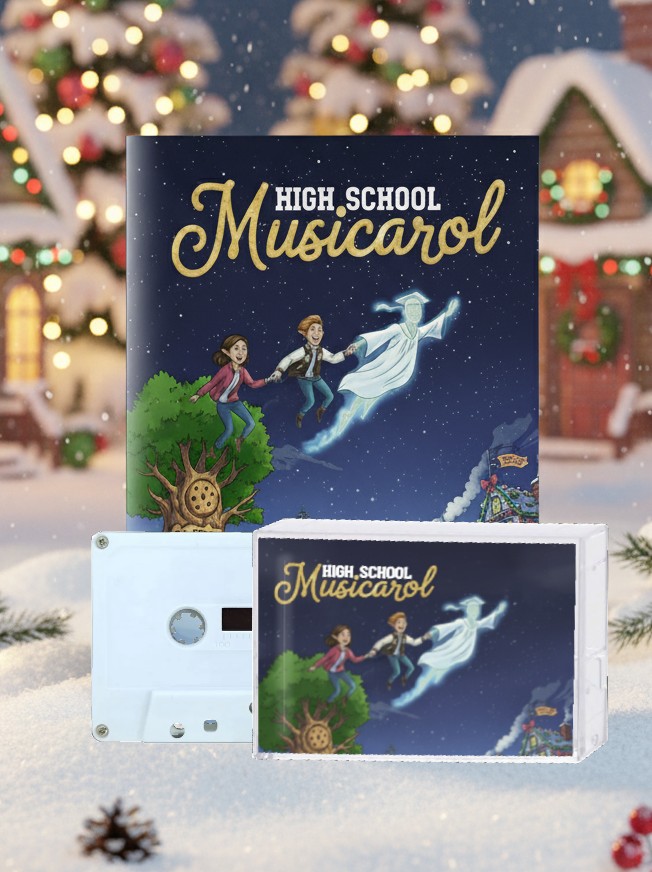
Get your radio show experience on an old-school cassette tape. That’s right — family fun and nostalgia!
More from the Fickle Father workshop
If you enjoy the High School Musicarol Family Radio Show Experience Kit, you might also enjoy some of my other projects!